Advanced
Keyboard Shortcuts
Complete reference of keyboard shortcuts in Tooscut.
Press ? at any time to open the keyboard shortcuts modal inside the editor.
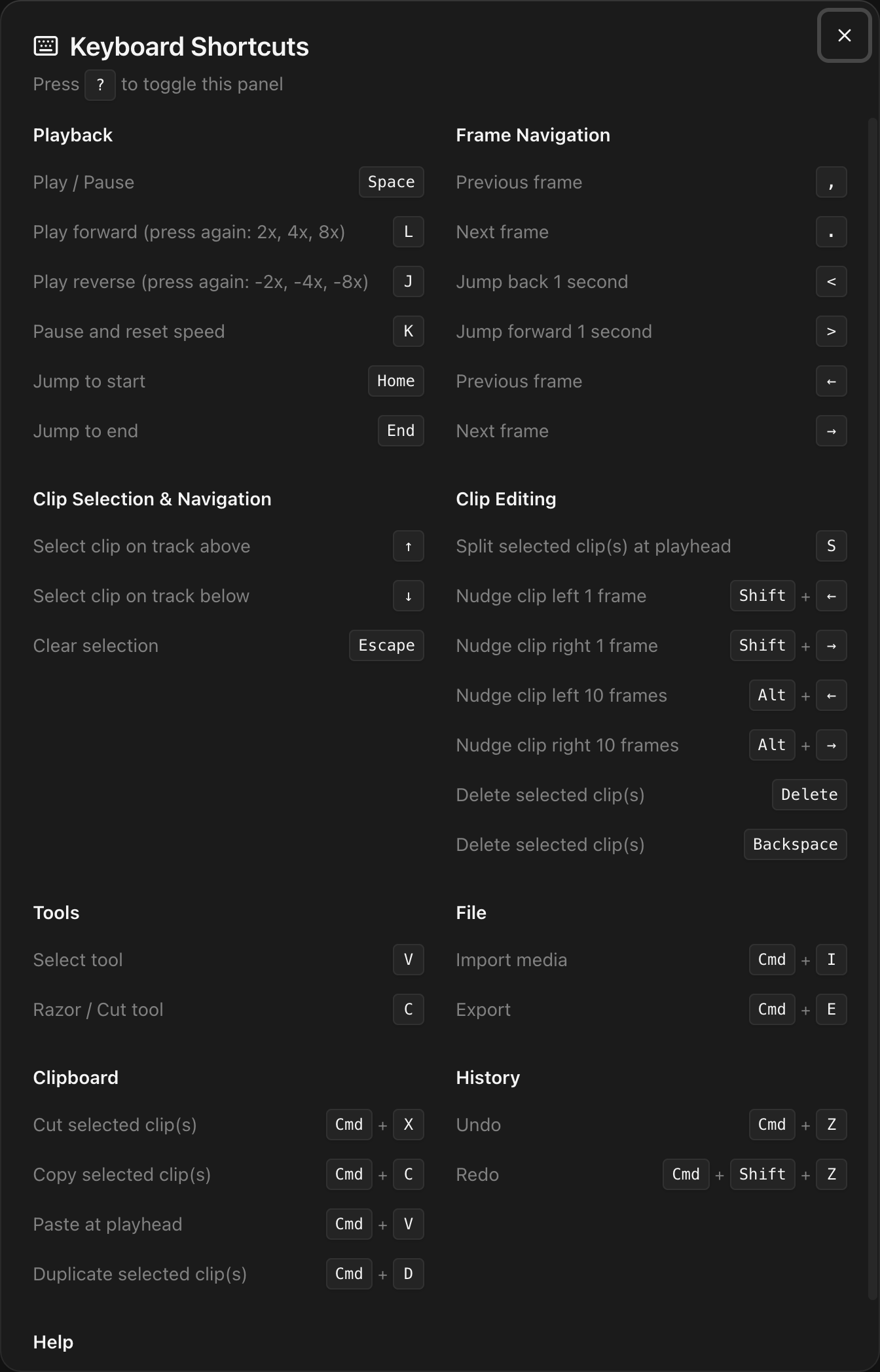
| Shortcut | Action |
|---|
| Space | Play / Pause |
| L | Play forward (press again: 2x, 4x, 8x) |
| J | Play reverse (press again: -2x, -4x, -8x) |
| K | Pause and reset speed |
| Home | Jump to start |
| End | Jump to end |
| Shortcut | Action |
|---|
| , | Previous frame |
| . | Next frame |
| < | Jump back 1 second |
| > | Jump forward 1 second |
| ← | Previous frame |
| → | Next frame |
| Shortcut | Action |
|---|
| ↑ | Select clip on track above |
| ↓ | Select clip on track below |
| Escape | Clear selection |
| Shortcut | Action |
|---|
| S | Split selected clip(s) at playhead |
| Shift + ← | Nudge clip left 1 frame |
| Shift + → | Nudge clip right 1 frame |
| Alt + ← | Nudge clip left 10 frames |
| Alt + → | Nudge clip right 10 frames |
| Delete | Delete selected clip(s) |
| Backspace | Delete selected clip(s) |
| Shortcut | Action |
|---|
| V | Select tool |
| C | Razor / Cut tool |
| R | Toggle ripple edit mode |
| Shortcut | Action |
|---|
| M | Add marker at playhead |
| Shift + M | Go to next marker |
| Alt + M | Go to previous marker |
| I | Set in-point at playhead |
| O | Set out-point at playhead |
| Alt + I | Clear in-point |
| Alt + O | Clear out-point |
See Markers and In/Out Points for details.
| Shortcut | Action |
|---|
| ⌘I | Import media |
| ⌘E | Export |
| Shortcut | Action |
|---|
| ⌘X | Cut selected clip(s) |
| ⌘C | Copy selected clip(s) |
| ⌘V | Paste at playhead |
| ⌘D | Duplicate selected clip(s) |
| Shortcut | Action |
|---|
| ⌘Z | Undo |
| ⌘⇧Z | Redo |
| Shortcut | Action |
|---|
| ? | Show keyboard shortcuts |
On Windows and Linux, replace ⌘ with Ctrl.