Effects
Video Effects
Adjust brightness, contrast, saturation, hue, and blur on any visual clip.
Per-clip adjustments on any visual clip type (video, image, text, shape). GPU-composited and keyframeable.
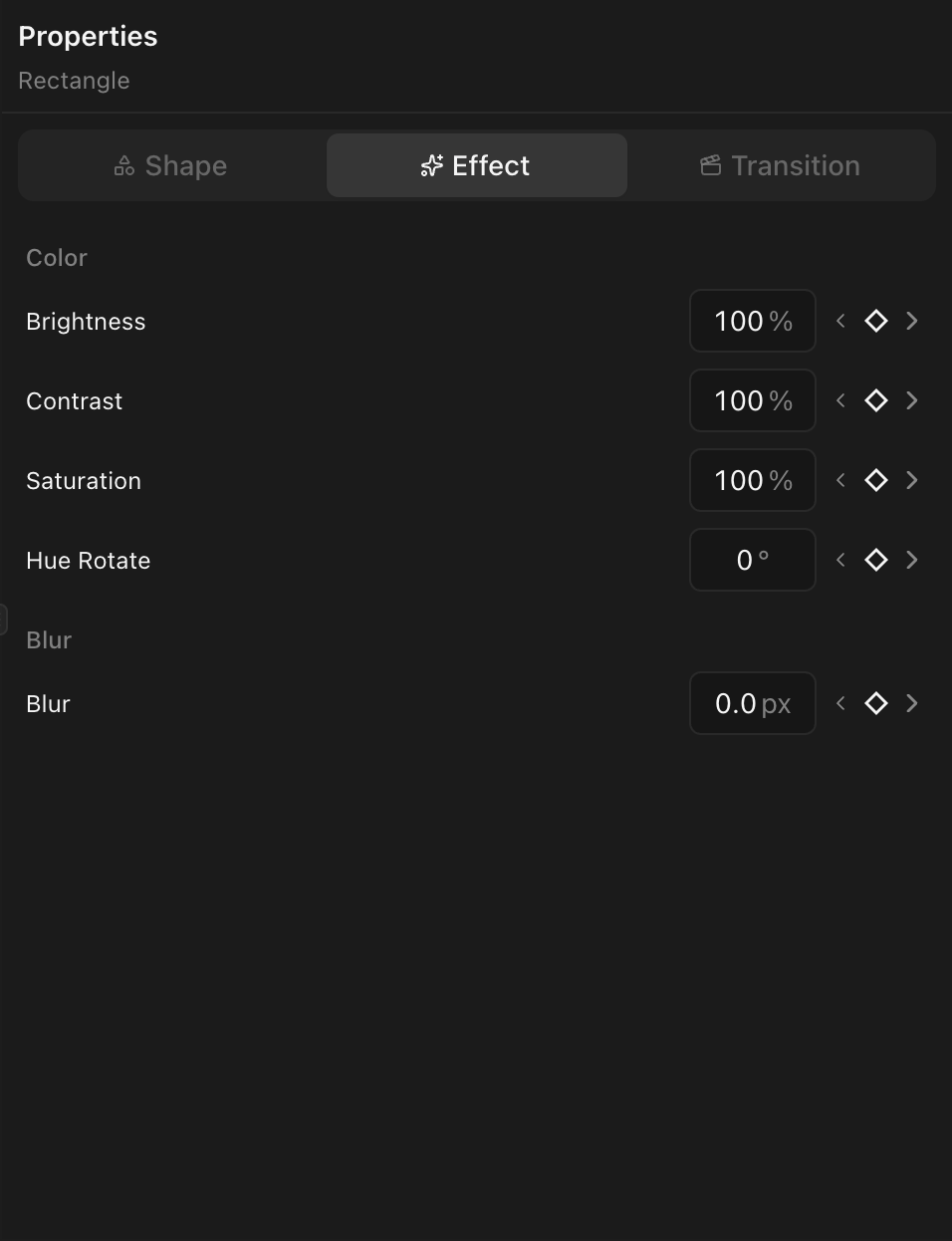
Select a visual clip and open the Effects tab in the properties panel.
Available effects
Brightness
- Range: 0% to 300% (default 100%)
- Below 100% darkens, above 100% brightens.
Contrast
- Range: 0% to 300% (default 100%)
- Lower = flatter image, higher = more dynamic range.
Saturation
- Range: 0% to 300% (default 100%)
- 0% = grayscale. Above 100% = more vivid.
Hue Rotate
- Range: 0 to 360 degrees (default 0)
- Shifts all colors around the color wheel.
Blur
- Range: 0 px+ (default 0)
- Gaussian blur. Good for background defocus.
Keyframing effects
All effect properties support keyframes. Example: animate blur from 0 to 20 over 0.5s for a focus-pull.
Effects vs. color grading
These are basic global adjustments. For per-channel curves, LUTs, color isolation, or regional masking, use color grading. Both work on the same clip.